

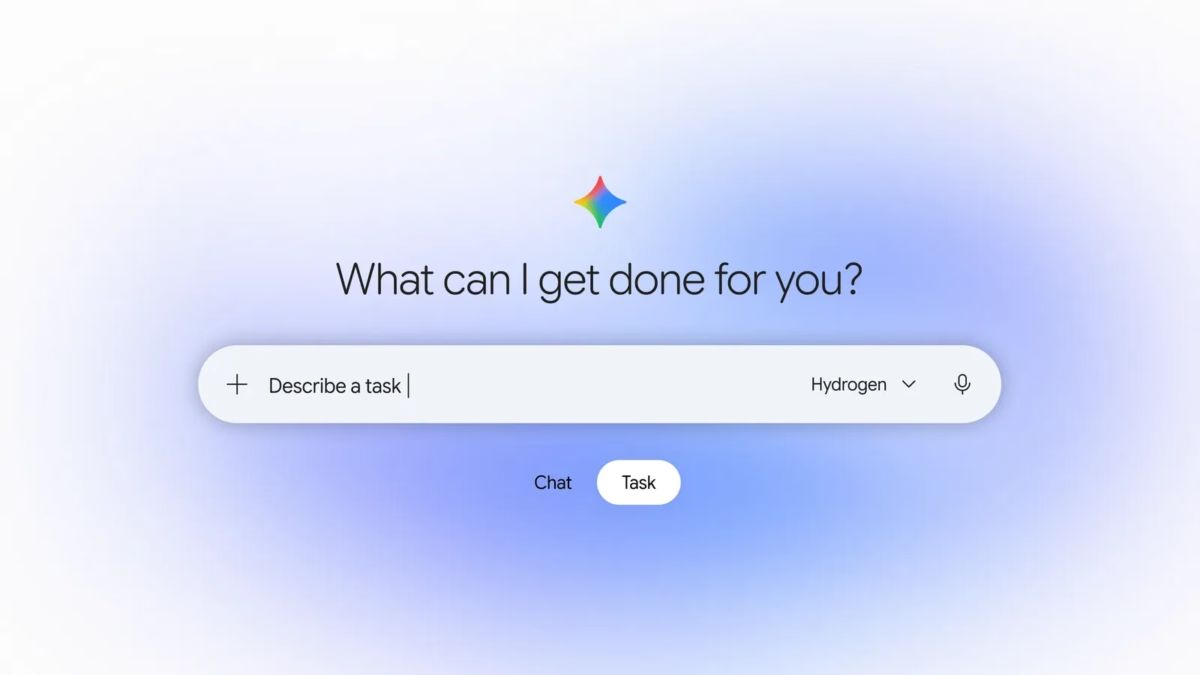
Gemini Tasks is getting a free rollout, and the interesting part is what happens after you press send. Instead of collecting another page of advice, you can ask an assistant to work toward a concrete result. The useful question is no longer just “What can AI answer?” It is “Which part of my day can I hand over without losing control?”
Start with a familiar problem: three emails contain dates you need, two shopping tabs disagree about a product, and a small job has been waiting all week because it requires several annoying steps. Gemini Tasks could help close those loops when the relevant tools are available. But the difference between a useful result and a confident mistake often comes down to the instructions you give it.
Updated November 18, 2026. This guide combines verified launch information with original example prompts and editorial advice. The examples are suggestions to adapt, not claims of hands-on testing or guaranteed results.
Gemini Tasks: what changed and who gets access
Google’s November 17 announcement introduces a free rollout of Tasks in Gemini across the United States, Japan, Korea, Canada, Australia and India, powered by Gemini 4 Hydrogen. Additional capabilities start in the US. Somalia is not on that announced country list.
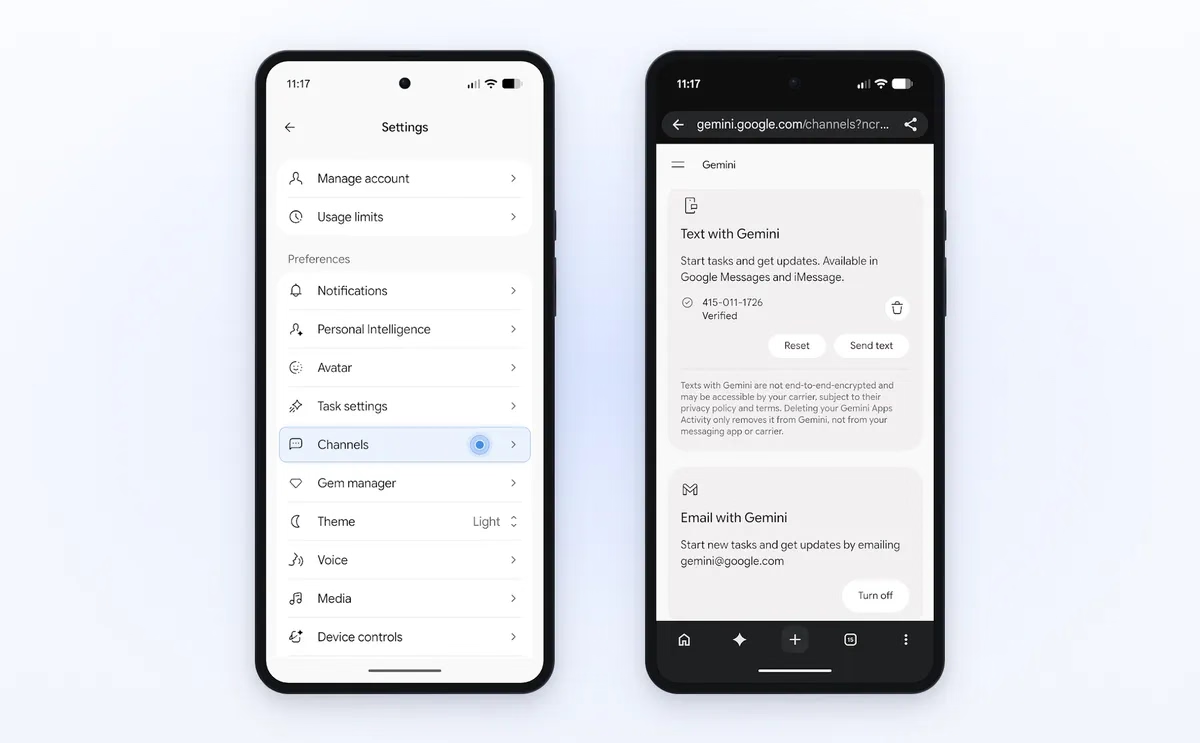
The official Gemini release notes describe background work on multi-step projects and recurring routines. They also detail US features for payments, texting, email requests and business calls. The payment, texting and email rollouts specify English, adult users and personal Google accounts; texting additionally requires a verified US number and eligible carrier.
Calling is unavailable in Indiana, Louisiana, Minnesota, Montana and Nebraska at launch. Do not assume that access to Gemini means every Tasks feature is enabled for your account. Check the controls and eligibility information shown to you.
Google says to switch the home-screen control from Chat to Task to begin. It also acknowledges that tasks can fail or require you to finish a step yourself. Treat the rollout announcement as a starting point, not a promise that every website or workflow will cooperate.
The quick verdict: start with one small, reviewable job
- Best first experiment: a short comparison or a draft plan that you can check against its sources.
- Best habit: define what “finished” means before the assistant starts.
- Keep control: make sending, booking, buying and deleting separate from researching or drafting.
- Measure value: count the time spent checking and correcting the result, not just the time it took to appear.
For Codeweave24 readers, the attraction of Gemini Tasks is practical: fewer unfinished chores and less repetitive checking. That is a more useful standard than asking whether a feature looks impressive in a launch video. If a five-minute manual job becomes fifteen minutes of supervising an assistant, simplify the request or do that job yourself.
7 smart Gemini Tasks prompts to try
These seven examples are written as briefs, with a clear goal, limits and a result to review. Use only the options and connected services available to your account. If a connection is unavailable, provide the relevant non-sensitive information yourself and ask for a draft instead. Replace bracketed details before using a prompt.
1. Turn a busy morning into a realistic plan
A long task list is not a schedule. It mixes fixed appointments, flexible work and things that simply feel urgent. Your first experiment should separate those categories and make the trade-offs visible.
Example prompt: Using the calendar and task information I provide, draft a plan for tomorrow in [time zone]. Separate fixed appointments from flexible work. Protect a 45-minute lunch break and leave 15 minutes between meetings. Choose three priorities. If everything will not fit, show what you would postpone and why. Do not move appointments, invite anyone or send messages.
Review the result for impossible transitions. A meeting ending at noon does not mean you can instantly be across town at another appointment. Include travel, preparation and recovery time where they matter. The point is a day you can actually follow, not a beautifully packed calendar.
What a good result looks like: a small number of realistic blocks, explicit conflicts and a short list of decisions for you. If the output simply repeats your entire to-do list, ask it to prioritize instead of reformatting.
2. Compare a gadget without falling for the biggest discount
Shopping research is a useful place to test Gemini Tasks because the answer can be checked against product listings. Start with two or three exact models. A vague request for “the best laptop” invites a vague answer; a specific workload and budget give the comparison a purpose.
Example prompt: Compare these three laptop listings: [links]. My budget is [amount and currency], and I mainly use [applications]. Make a table of exact model number, processor, RAM, storage, screen, seller, warranty and current listed price. Include a source link for each row. Mark missing information as unknown. Separate standard prices from conditional offers. Recommend a shortlist, but do not purchase anything.
Open the source listings before accepting the recommendation. Model names can hide different configurations, and an attractive advertised price may depend on a trade-in or a payment card you do not have. Ask the assistant to explain which requirement rules a model out, rather than merely choosing a winner.
Our Redmi price comparison and buying checklist shows why exact variants and complete costs matter. Apply the same discipline whether you are considering a phone, a laptop or a monitor.
3. Build a trip outline that leaves room to breathe
An itinerary is useful only if it survives real distances and opening hours. Begin with an outline, not a booking. Give the assistant your dates, preferred pace and a maximum budget, then make it expose the assumptions behind its plan.
Example prompt: Draft a two-day itinerary for [city] on [dates], starting near [area]. We prefer [interests] and want no more than three main activities each day. Group nearby stops, allow breaks and list the opening-hour sources you used. Separate confirmed information from estimates. Include one indoor alternative each day. Do not book, reserve or pay.
Check the places that would be most disruptive to get wrong: the first activity, any timed entry and the final journey back. A plan with fewer stops can be better than a long list. Ask for one optional activity rather than letting every suggestion become an obligation.
What a good result looks like: a manageable route, visible assumptions and links you can revisit. A confident schedule without source dates or realistic travel gaps deserves another pass.
4. Find dates hiding in a pile of messages
Deadlines arrive in different formats: an email subject, a PDF attachment, a short note or a revised date buried in a reply. Before allowing changes to a calendar, ask for a review table. That makes mistakes easier to catch.
Example prompt: Read the messages and documents I provide. Extract events and deadlines into a table with title, date, time, time zone, location and source. Flag revised dates, duplicates and ambiguous phrases such as “next Friday.” If a time is missing, leave it blank. Show the table for review before creating events. Do not invite anyone.
Read the source alongside any flagged entry. A registration deadline is not the same thing as the event date, and an appointment reminder may repeat an event already on your calendar. Your instructions should make uncertainty visible instead of encouraging the assistant to fill every empty cell.
This is also a useful rule for teachers, students and freelancers: extracting information and acting on it should be two distinct stages. First confirm that the facts are right; then decide which calendar changes are wanted.
5. Prepare a service enquiry with clear boundaries
A service enquiry is easier when you already know what you need to ask. Whether the assistant can place calls for your account or only prepare a script, a well-defined brief helps you get comparable answers.
Example prompt: Prepare an enquiry for three local [repair/service] businesses near [area]. I need [job] during [dates]. Ask about availability, the inspection fee, what a quote includes and whether parts are extra. Do not share payment details, accept a quote or book. Present the answers with business names and contact sources; label anything you could not confirm.
If an eligible calling feature is available, review the call plan before allowing it to proceed. Otherwise, use the questions yourself. Keep the same core questions for every business so that the cheapest-looking answer is not simply the least complete one.
What a good result looks like: a comparable set of answers and a clear next decision. “They can help” is not enough if you still do not know the likely fee, timing or scope.
6. Make a weekly research brief worth opening
A recurring report should filter information, not multiply it. For a technology blog, the most helpful brief separates confirmed launches from rumours and explains who would care about each development.
Example prompt: Prepare a short briefing on [topic] for [audience]. Prioritize primary announcements from the last seven days. For each item, include the announcement date, source link, what changed, who can use it and any important limitation. Keep rumours in a separate section. Suggest one useful article angle per confirmed story. Avoid repeating the same announcement from multiple outlets.
For recurring use, specify the day, time and time zone where scheduling is supported. Then review the first report before trusting the pattern. If it misses your audience, refine the selection rules. More sources do not automatically make a more useful briefing.
This is where Gemini Tasks should be judged on relevance. Three well-chosen items can beat twenty headlines. For a small publisher, the valuable output is a clear reader question worth answering, not a stack of summaries that every other site could publish.
7. Turn a rough weekly menu into a sensible shopping list
The small household jobs are often the most repeatable. Begin with ingredients you already have, how many people you are feeding and how much cooking time is realistic. Keep planning separate from placing an order.
Example prompt: Create a five-day dinner plan for [number] people using these ingredients first: [list]. Keep preparation under [minutes] per meal. Respect these dietary requirements: [details]. Group a shopping list by category, combine duplicate ingredients and state quantities. Ask about missing serving sizes instead of guessing. Do not add items to a cart or buy anything.
Check quantities and dietary details yourself before using the plan. Then mark which ingredients are already in the cupboard. The assistant should reduce duplicate purchases and decision fatigue; it should not turn a simple meal plan into a complicated shopping expedition.
If you later use a shopping integration, review substitutions, delivery charges and the complete order separately. A good plan is not permission to spend, and an appealing list is not proof that every item is available.
How to start with Gemini Tasks
Once the feature is available to your account, use this small-job approach. The launch instructions are brief; the quality of the brief you give the assistant is where your own effort matters most.
- Choose one outcome. Ask for a comparison table, a draft plan or extracted dates rather than “organize my life.”
- Provide the minimum necessary context. Add relevant links or files, and connect only services needed for that job.
- Set boundaries. State your budget, date range, time zone and actions that need your review.
- Check the plan. Correct misunderstandings before they spread through several steps.
- Verify completion. Look for the actual output or confirmation, not merely a message saying the work is done.
A better prompt formula: goal, context, limits, review
A strong Gemini Tasks request contains four pieces. The goal says what you need at the end. The context gives the information required to do it. The limits define budget, timing and scope. The review point says where the assistant should stop for your decision.
Compare “Find me a charger” with “Compare three USB-C chargers available in my country for this laptop model, under my stated budget; verify charging compatibility from manufacturer documentation and show your sources before I choose.” The second request is easier to evaluate because it spells out what a successful answer must contain.
You can use the same structure in other assistants. Our guide to everyday tasks with Claude offers another set of practical examples. Pick the assistant that fits your available tools and workflow, then judge the result against the same standard.
Gemini Tasks limits: what to check before trusting a result
Google describes isolated computing environments and layered security controls for task execution, but these are not a guarantee of perfect answers. Its announcement says critical steps are designed to require confirmation or pre-approval. The payment release notes specify an itemized checkout review and explicit approval before purchase.
Our practical advice is to keep the most important decisions easy to inspect. When comparing products, check the exact configuration. When extracting dates, check the time zone. When preparing a booking, check the people, location and cancellation conditions. Those are the details that make a polished answer useful in real life.
Do not give an assistant unrelated private documents just because it can accept them. Use the smallest amount of information that gets the job done, and read the permissions before connecting an account. If an instruction is misunderstood, stop and narrow the request rather than adding more unrelated steps.
For your first few Gemini Tasks experiments, keep a simple record: the job, the time you spent setting it up, the checking time and whether you would use the workflow again. That is a more honest productivity test than assuming every automated step is a saving.
Frequently asked questions
Is Gemini Tasks free for everyone?
No worldwide rollout was announced for this update. The six-country launch list above defines the announced free rollout, while individual features have additional requirements. Check your account’s availability before planning a workflow around it.
Is Gemini Tasks available in Somalia?
Somalia is not included in the announced six-country list. That statement concerns this Tasks rollout, not every Gemini feature. Avoid paying for a plan solely on the assumption that it will unlock an unsupported regional feature.
What if I cannot see the Task option?
First compare your account and region with the current official availability information. You can also check whether your app has an update available. An absent control does not by itself prove that something is broken, and reinstalling repeatedly is not a useful substitute for checking eligibility.
Are these examples tested results?
No. They are original example briefs designed to make requests easier to review. Results depend on access, available connections, the information you provide and the job itself. We have not presented simulated output as a completed real-world task.
What is the best first task?
Choose a small comparison or draft plan with a result you can verify quickly. Avoid beginning with a chain of purchases, messages and bookings. Once you understand where the assistant needs guidance, you can decide whether a more involved workflow is worthwhile.
The takeaway: delegate the legwork, keep the judgement
Gemini Tasks is most interesting when it helps finish a modest, well-defined job. The best starting point is not the biggest promise in the announcement. It is the small chore you keep postponing because it requires opening several tabs, comparing details or gathering information.
Try one example, inspect the output and keep the workflow only if it makes your day easier. That is how an AI feature earns a place in your routine: useful work, clear boundaries and fewer loose ends.
Explore more practical AI guides on Codeweave24. Which job would you delegate first: comparing a gadget, organizing your schedule or preparing a weekly research brief?
Sources and editorial notes
- Google: Put Gemini to work for you — November 17, 2026 announcement.
- Gemini Apps release notes — November 17 rollout and feature requirements.
Official information checked November 18, 2026. Product images: Google. Prompt examples and evaluation advice: Codeweave24 editorial guidance. This is an explanatory guide, not a hands-on product review.